Features How it works Pricing FAQ WiselyRise Feedback Get the App
Your Personal Reminder Companion App

Never Forget
a Date Again.

The personal reminder engine for birthdays, anniversaries, bills, and every date you can't afford to forget — no signup, no tracking, works offline.

Private
100% on-device
No Ads
Zero tracking
Smart Snooze
Urgency-aware
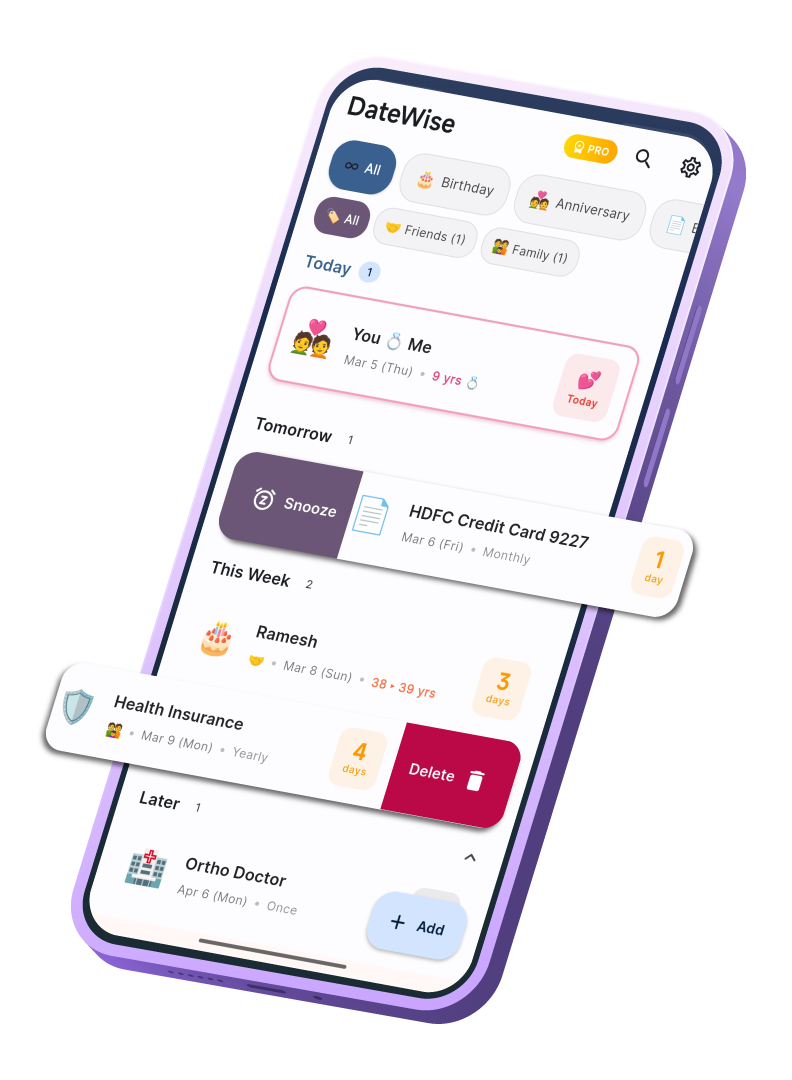
DateWise — smart reminder timeline
Smart Alerts
Context-aware
Secure
Biometric lock
Tags
Family, Work…
9
Built-in Reminder Types
No
Signups Needed
<30s
Setup Time per Reminder
100%
Offline — No Cloud Required
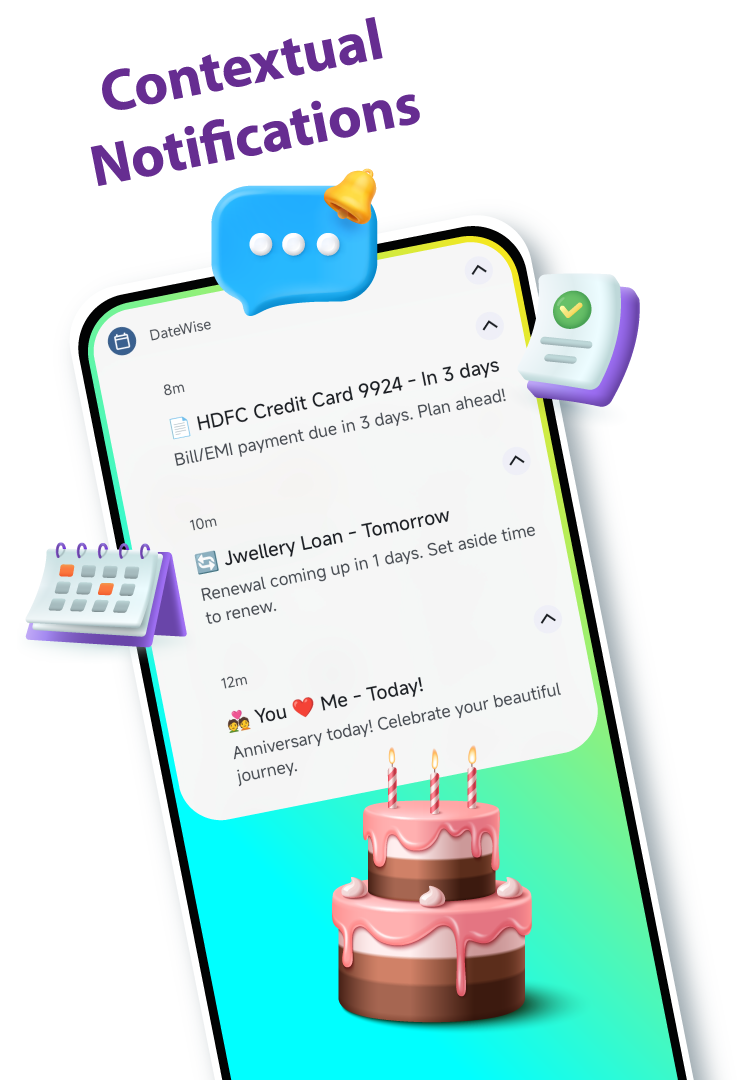
DateWise contextual notifications

Contextual Alerts
That Actually Help

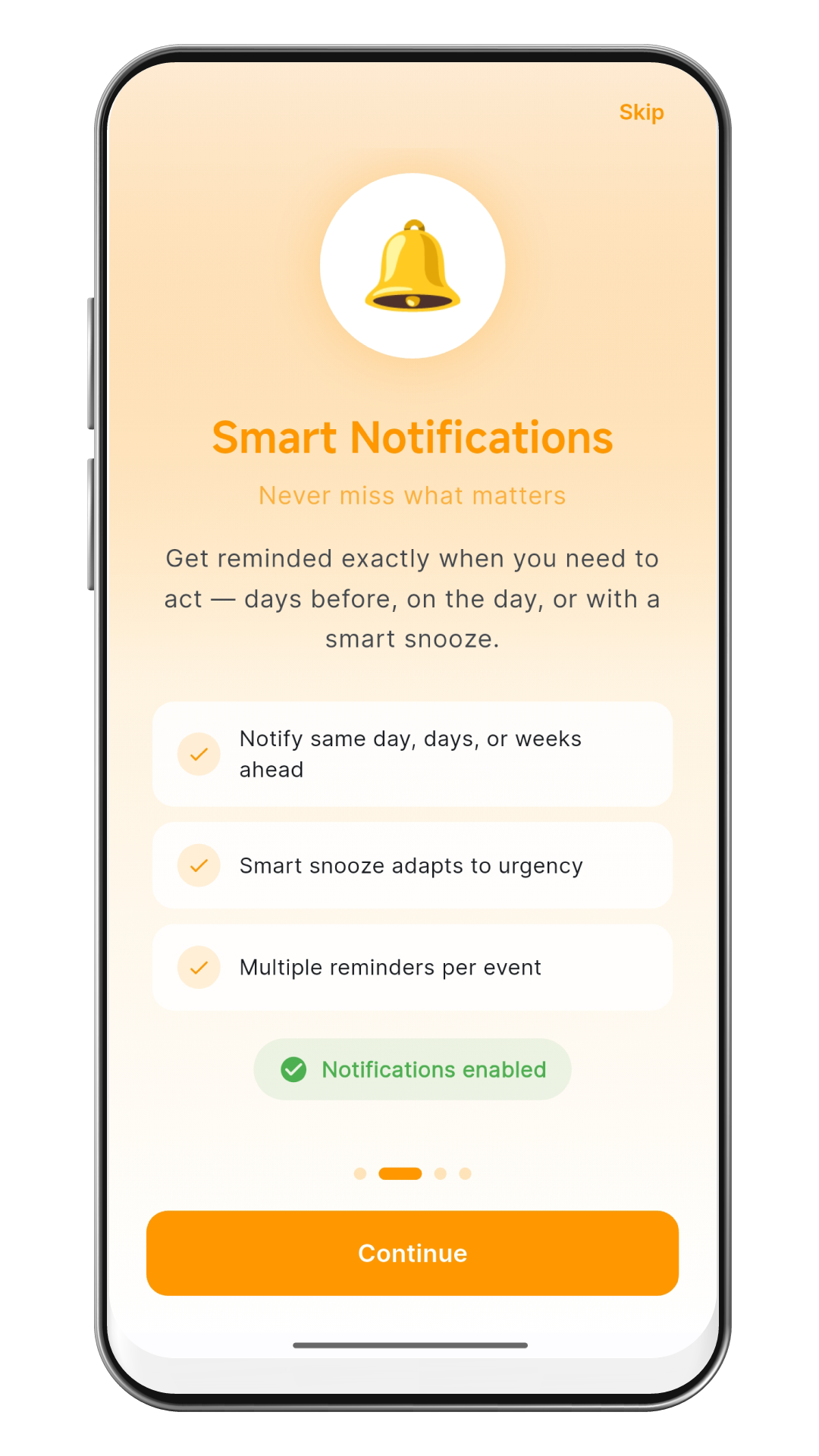
Get reminded exactly when you need it. Every notification includes a context-aware message so you know exactly what to do — plan ahead, celebrate, or pay on time.

  • Multiple alerts per reminder (same day, 1 day, 1 week…)
  • Context messages: "Plan ahead!" / "Celebrate your journey"
  • Smart snooze that adapts to urgency
  • Works offline — fires even with app closed

Everything You Need,
Already Inside DateWise

No need to juggle multiple apps. DateWise handles every type of important date — end to end.

Smart timeline

Know What's Coming
Before It Arrives

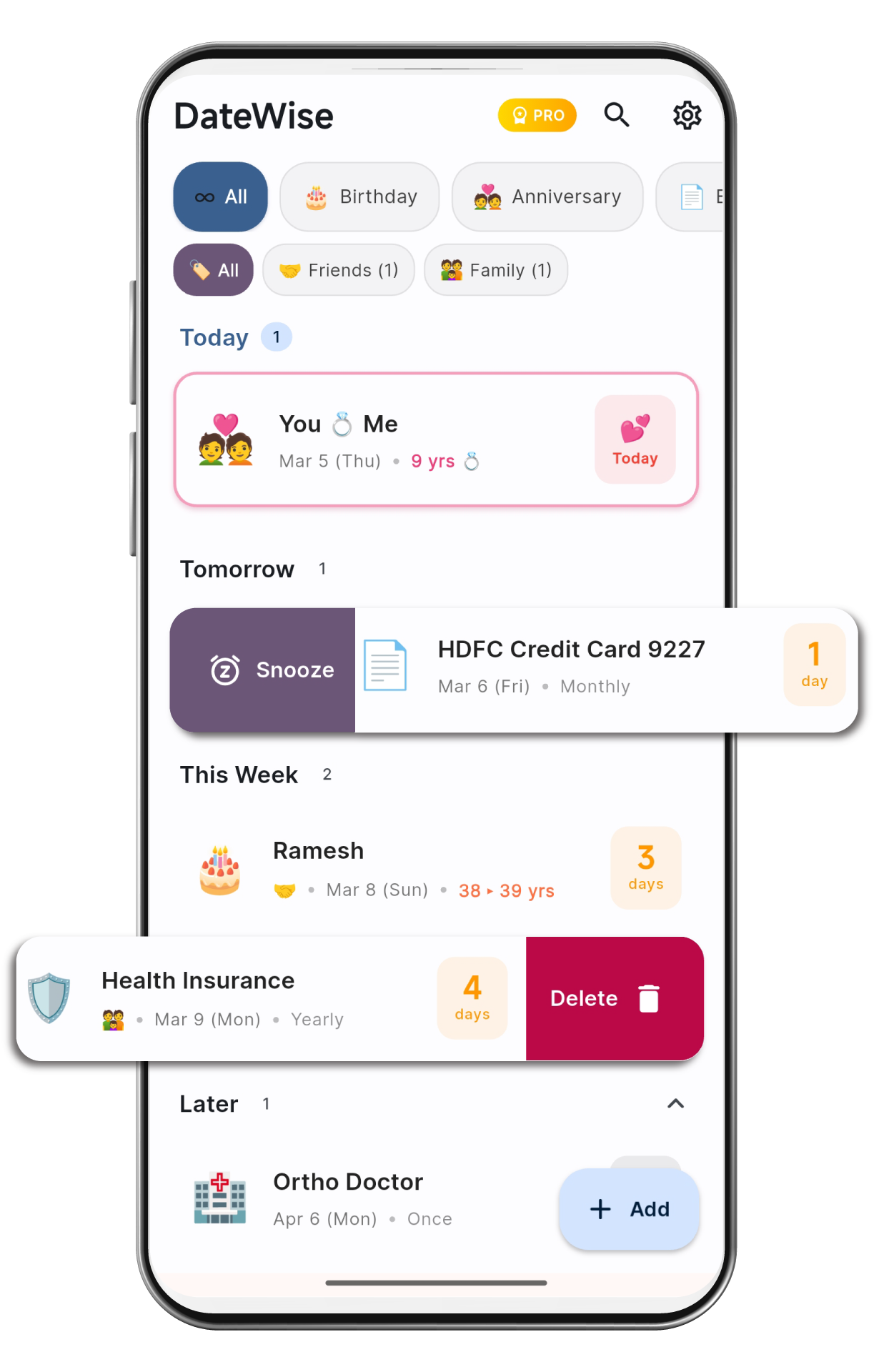
Your upcoming events are automatically sorted into Today, Tomorrow, This Week, This Month, and Later — so you always know what needs attention right now.

  • Urgency-based grouping: Today → Later
  • Filter chips by type: Birthday, Bill, Custom…
  • Relationship tags: Family, Friends, Work, VIP
  • Swipe to snooze or delete
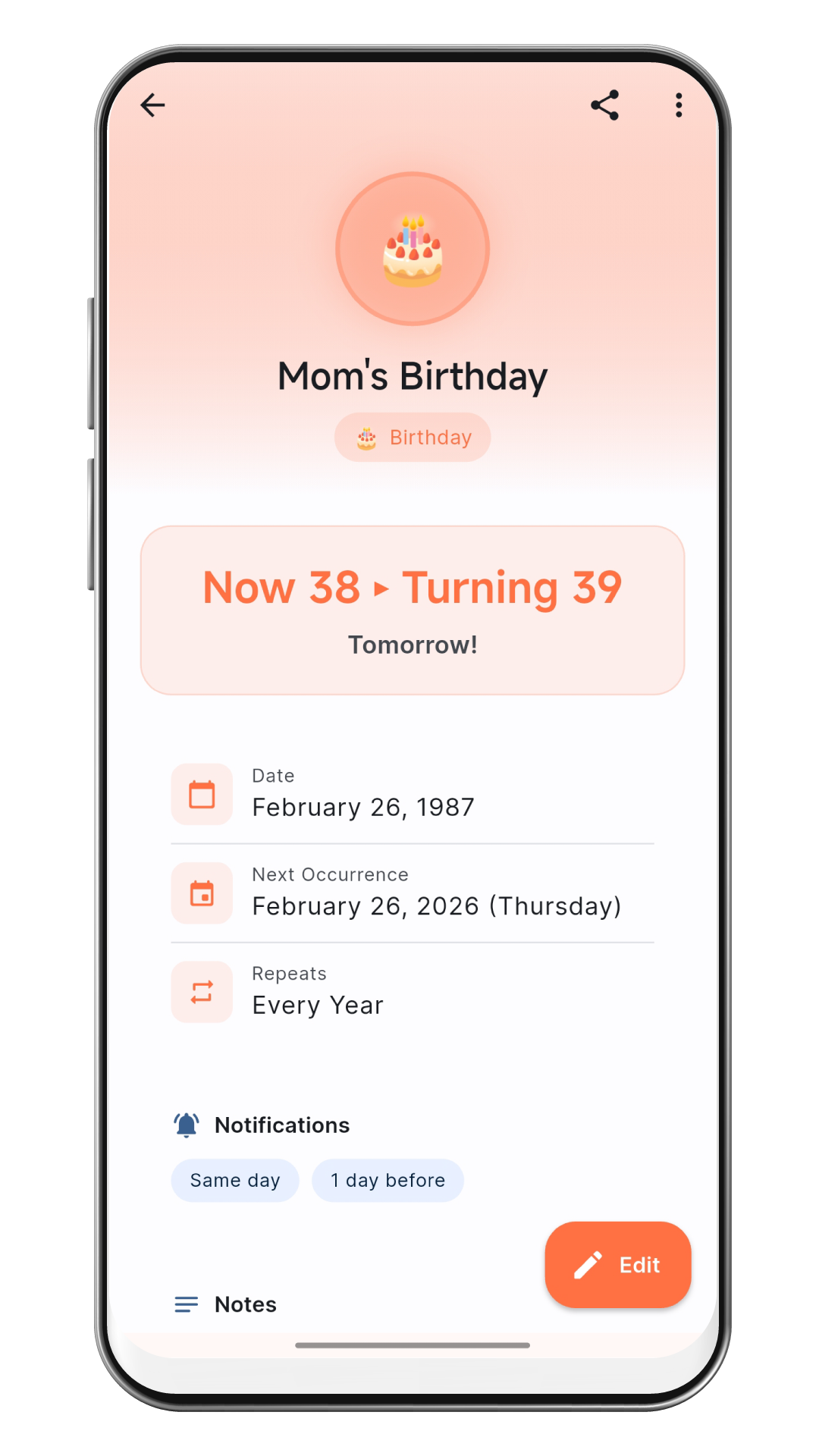
  • Auto-calculated age & years counter
Import contacts

Import All Birthdays
in One Tap

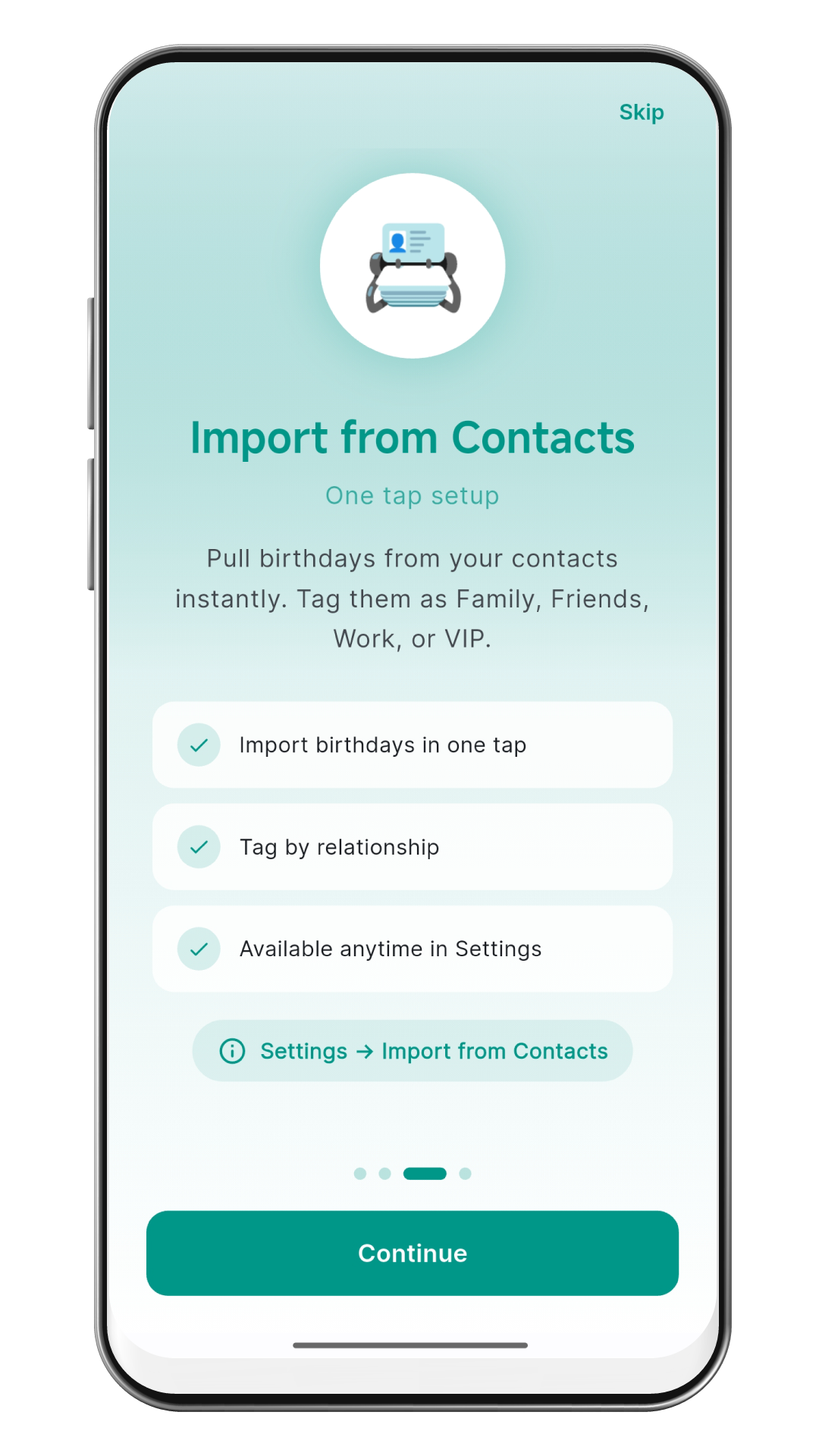
Pull all birthdays from your phone contacts instantly. DateWise reads the data and creates reminders automatically — no manual entry needed.

  • One-tap import from phone contacts
  • Auto-tag by relationship (Family, Friends, Work, VIP)
  • Notifications set automatically at 7 days and on the day
  • Re-run anytime from Settings → Import from Contacts
Private and Secure

Your Data,
Your Control

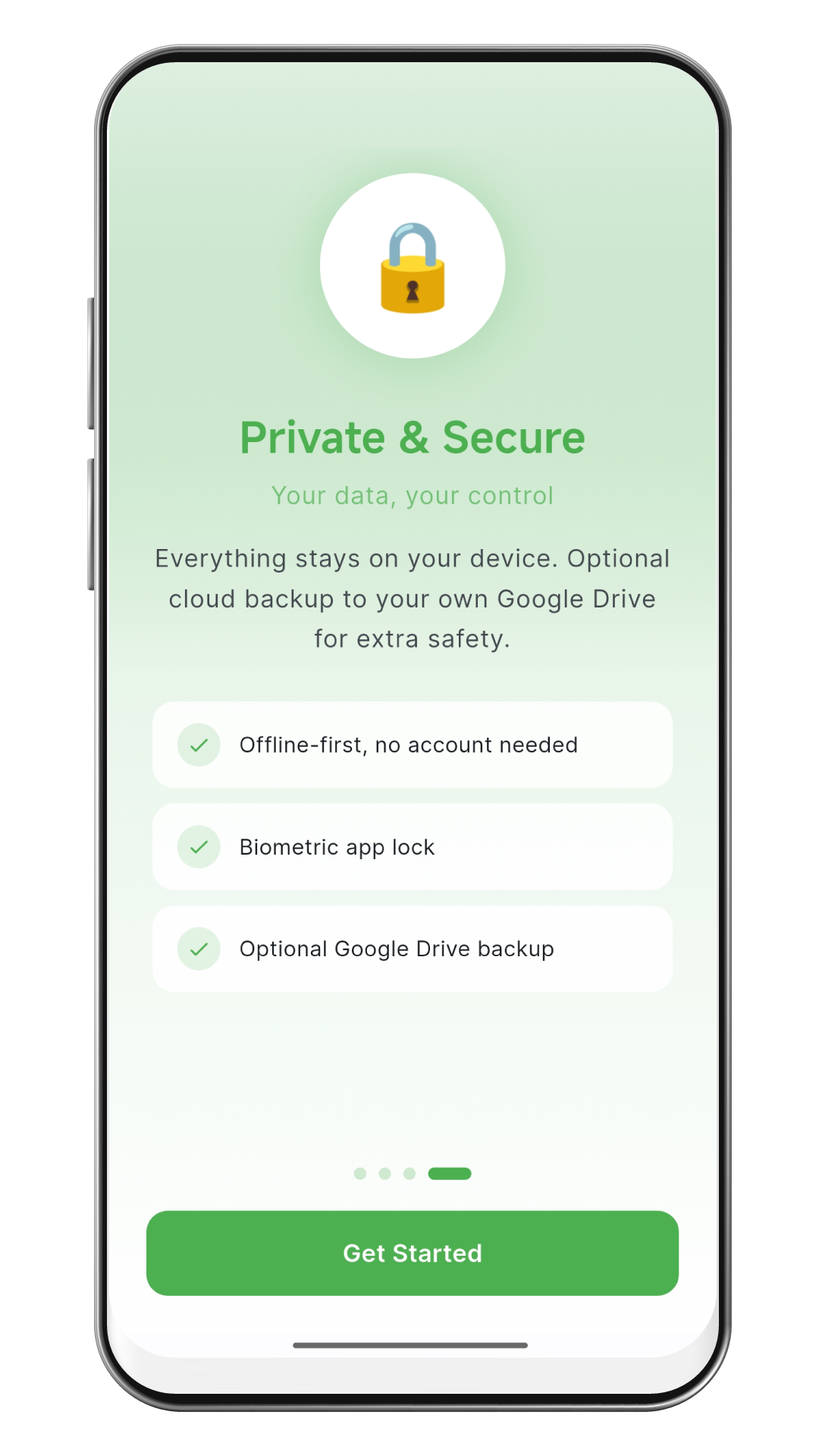
Everything you add stays on your device. No account needed, no cloud syncing unless you opt in, and no one ever sees your reminders.

  • 100% offline-first, no account required
  • Biometric app lock
  • Optional Google Drive backup to your own account (Pro)
  • No analytics, no ad tracking, no data sharing — ever
Pro membership

Unlock More
with DateWise Pro

Pro is a one-time purchase — not a subscription. Pay once, keep it forever. Designed for power users who want the full experience.

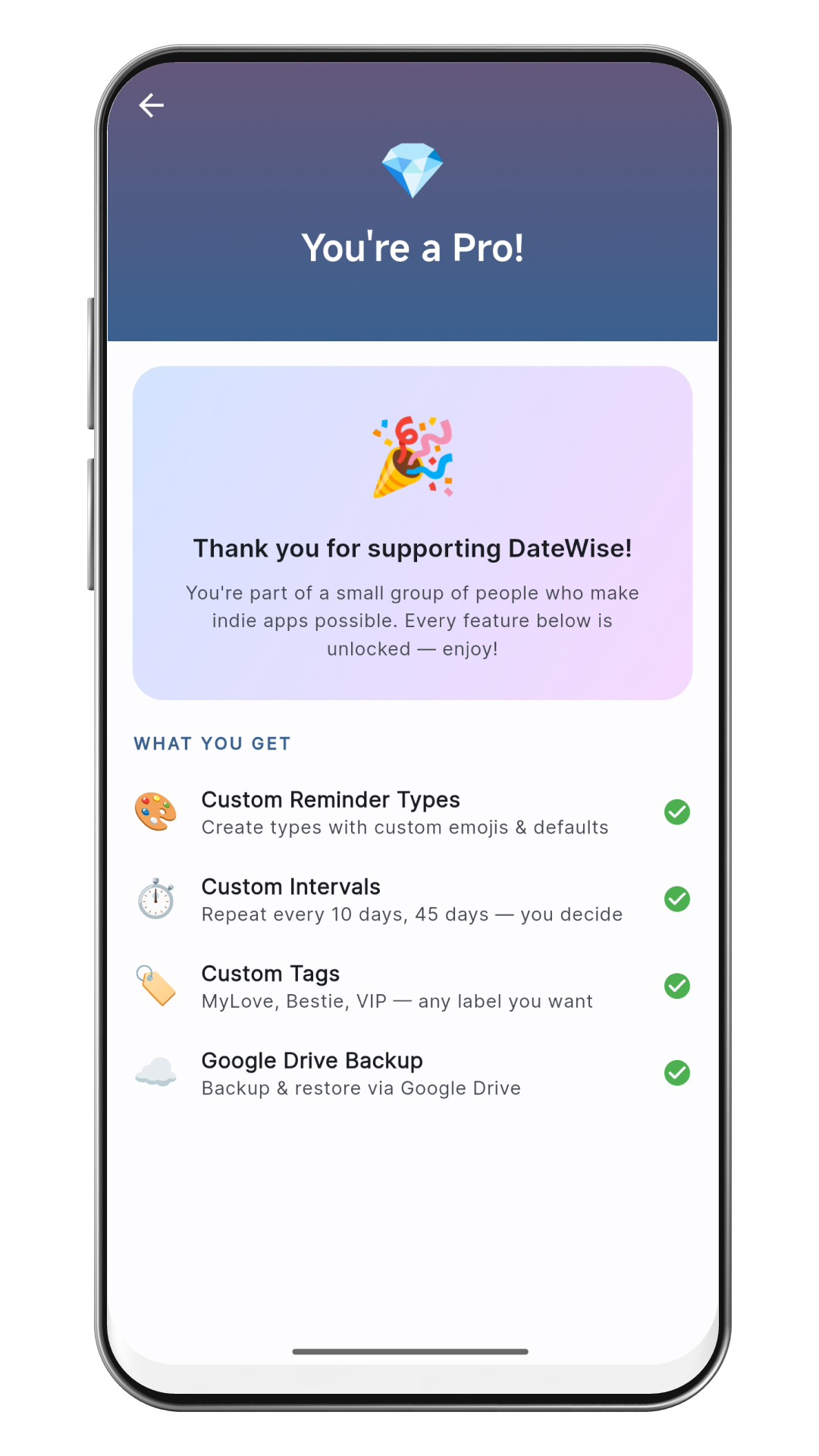
  • Cloud backup & restore via Google Drive
  • Custom reminder types with your own emoji
  • Custom reminder intervals
  • Custom relationship tags
  • One-time purchase — no subscription, ever
☰ Smart Timeline
Smart timeline

Know What's Coming Before It Arrives

Auto-sorted into Today, Tomorrow, This Week, This Month, and Later.

  • Urgency-based grouping
  • Filter chips by reminder type
  • Relationship tags: Family, Friends, Work, VIP
  • Auto-calculated age & years counter
👥 Contact Import
Import contacts

Import All Birthdays in One Tap

Pull birthdays from your phone contacts and create reminders automatically.

  • One-tap import from phone contacts
  • Tag by relationship
  • Notifications set automatically for same day and 1 day before
🔒 Privacy & Security
Private and Secure

Your Data, Your Control

Everything stays on your device. No cloud unless you choose. No data sharing.

  • 100% offline-first, no account
  • Biometric app lock
  • No analytics or ad tracking
💎 Pro Features
Pro membership

Unlock More with DateWise Pro

One-time purchase. Pay once, keep it forever.

  • Cloud backup via Google Drive
  • Custom reminder types + emoji
  • Custom reminder intervals
  • Custom relationship tags
  • No subscription, ever

Set Up in
Under 30 Seconds

Getting started is simple — no account, no fuss.

01

Download the App

Install DateWise free from Google Play. No account, no credit card, no onboarding forms.

02

Add Your First Reminder

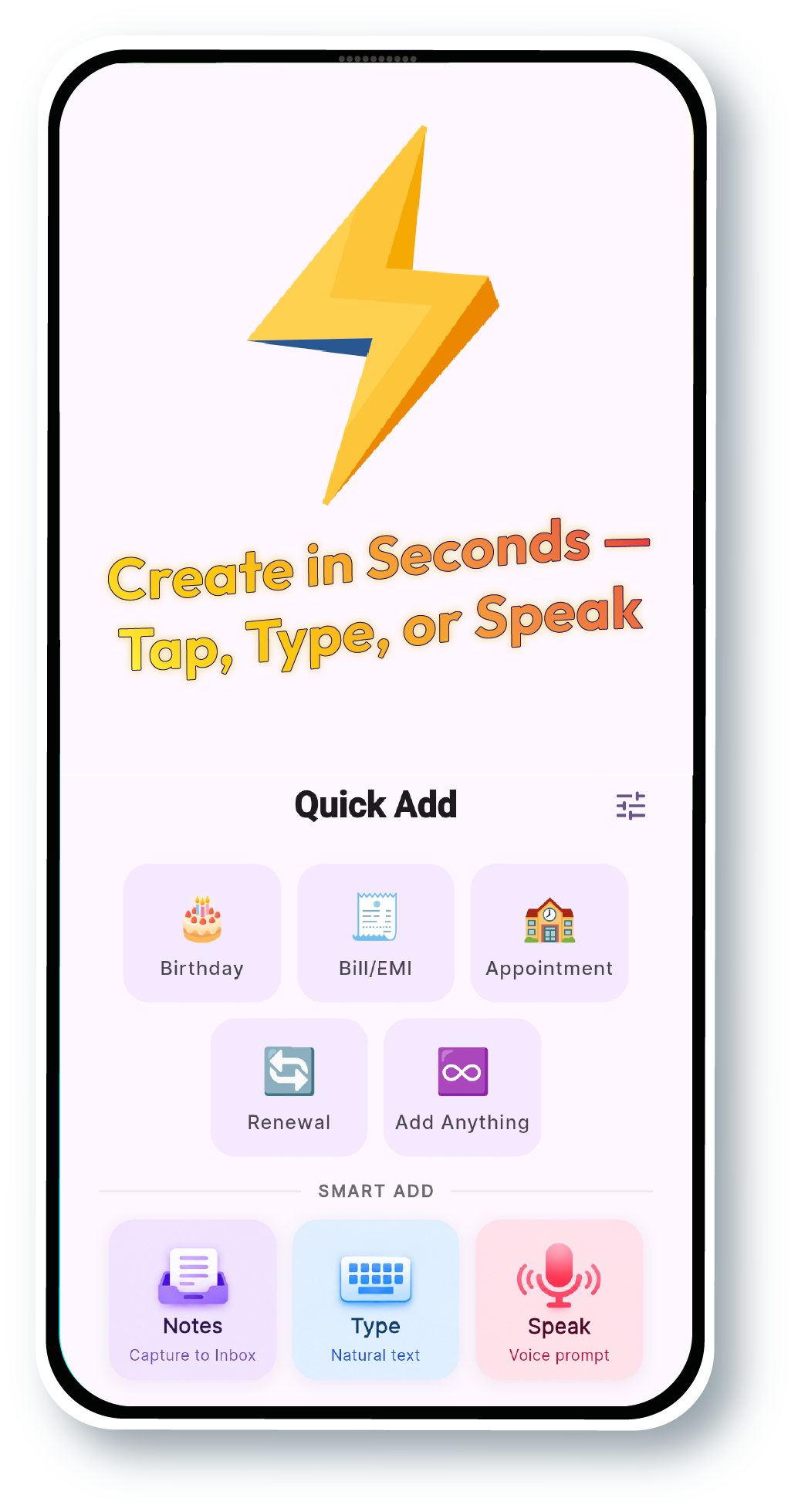
Tap +, pick a type (Birthday, Bill, Anniversary…), set the date, choose your notification timing, and save.

03

Never Miss a Date

DateWise notifies you at exactly the right time — days early, on the day, or with a smart snooze — even offline.

See DateWise
in Action

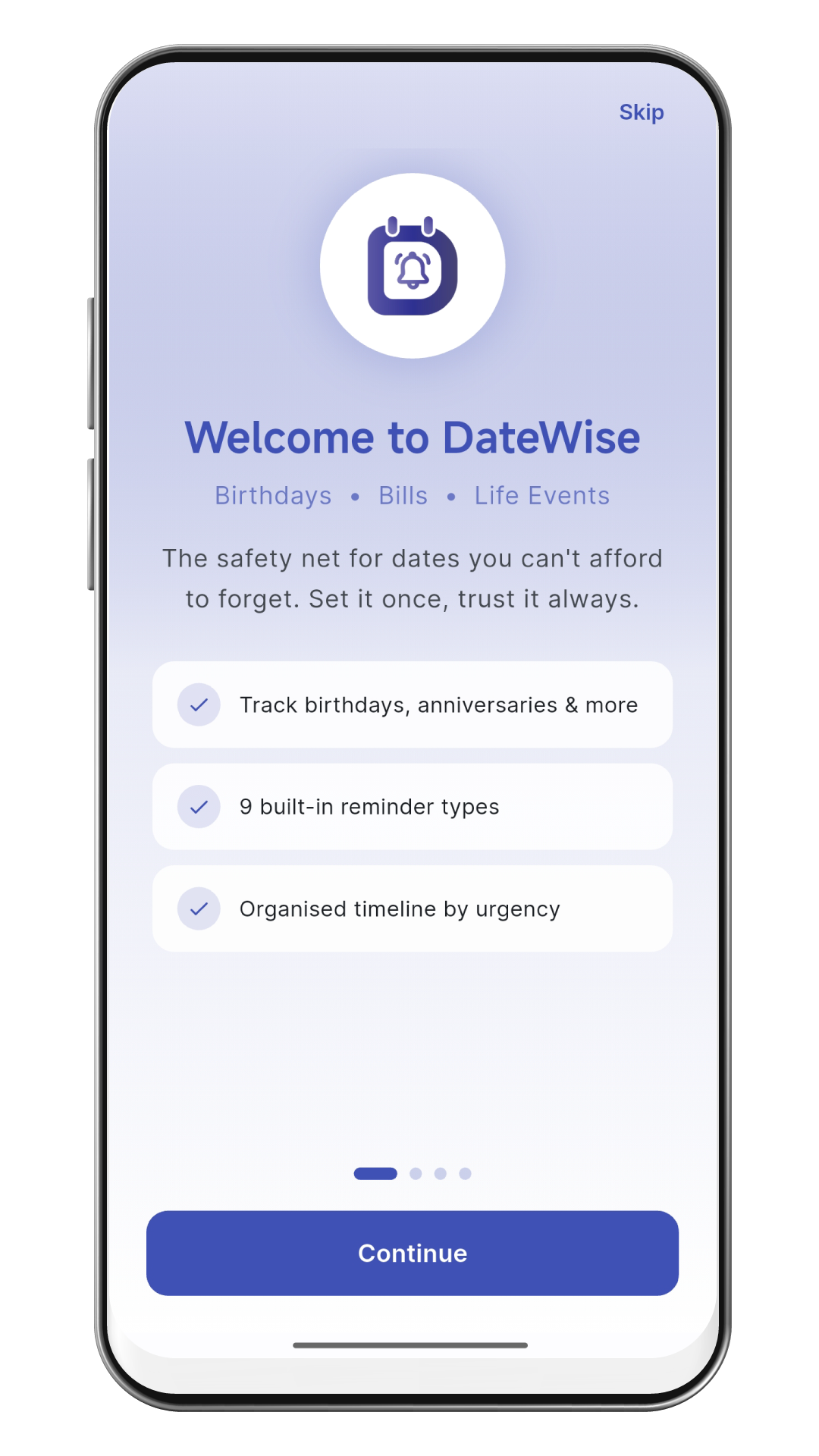
Real screenshots from the app.

Get started Home timeline Welcome onboarding Add reminder Import contacts Private and secure Reminder types Pro membership Settings

Simple, Honest
Pricing

Free forever. Or upgrade once — no recurring fees, ever.

Free
₹0
Always free
Best Value
Pro
49
One-time · No subscription
  • Smart notifications
  • Works offline · No account
  • Import from contacts
PRO ONLY
  • Google Drive backup & restore
  • Custom types + emoji
  • Custom reminder intervals
  • Custom relationship tags

Frequently Asked
Questions

Quick answers to the most common questions.

Yes. DateWise is free to download and use with up to 50 reminders and all core features. Pro is an optional one-time purchase for cloud backup, custom types, and unlimited reminders — no subscription ever.
No account is ever required. DateWise works fully offline. Your data stays on your device. Optional Google Drive backup (Pro) does require a Google account, but that's entirely your choice.
DateWise reads birthday dates stored in your phone contacts and creates reminders automatically. It only reads — never writes or modifies your contacts. You'll see a standard Android permission dialog first.
Yes, completely. All notifications are scheduled locally on your device. They fire even if the app is closed, the phone is in airplane mode, or you have no data connection.
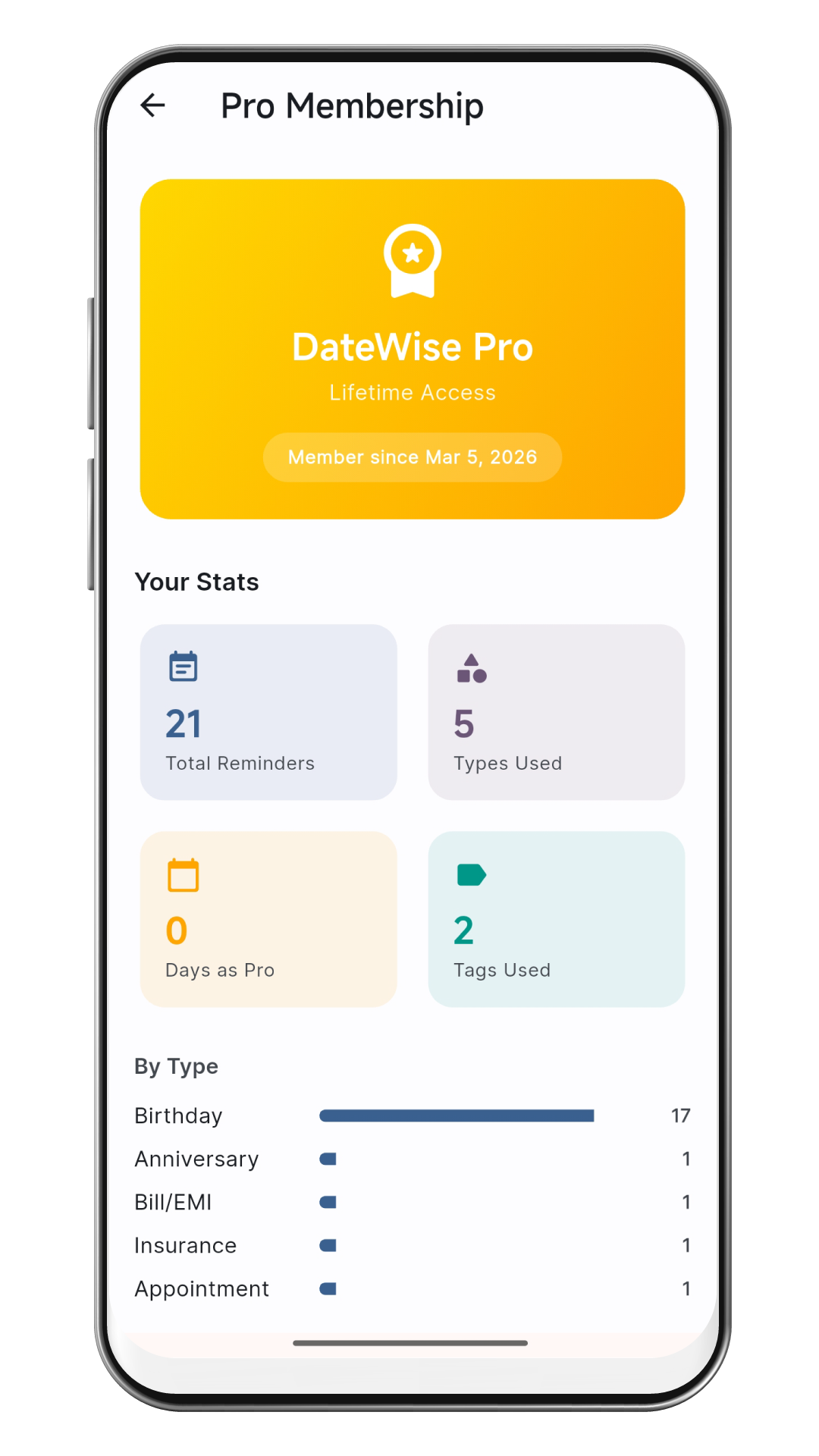
DateWise Pro is a one-time in-app purchase (₹49 in India, pricing varies by region). It unlocks Google Drive backup, custom reminder types, unlimited reminders, and the Pro stats dashboard. No subscriptions — pay once, keep forever.
Your data never leaves your device unless you enable Google Drive backup. We collect no analytics, run no ads, and share nothing with third parties. The app also supports biometric locking for added security.
With Pro, you can create your own reminder types beyond the 9 built-in ones. Give it a name, pick an emoji from over 120 options, and it appears everywhere in the app — filter bar, add screen, and notifications.

Start Remembering
What Actually Matters

Free forever. No account. Works offline. Set up in 30 seconds.

Get it on Google Play See All Features ᯓ➤